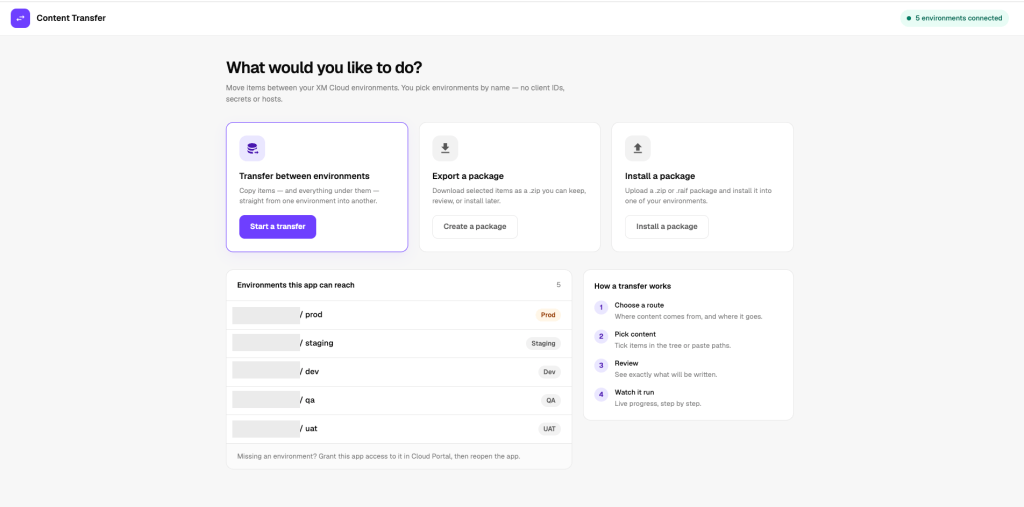
Content Transfer v2: no credentials, and a safety net for every transfer
What’s new since the first version of my Content Transfer app, and how it helps the developers and content authors who move content between SitecoreAI environments.
In July I shared the first version of my Content Transfer Marketplace app in Beyond Package Designer: A Better Way to Transfer Content in Sitecore. Package Designer had just been removed from SitecoreAI, and the app put a dashboard on top of the Content Transfer and Item Transfer APIs so nobody had to drive them from Postman.
It worked, but every environment needed a client ID, a client secret and an API host, and one busy dashboard made it easy to miss what a transfer was about to do. Version 2 fixes both, and adds the checks and the undo button I kept wishing I had.
What’s new at a glance
| Area | Version 1 | Version 2 |
|---|---|---|
| Connecting | Client ID, client secret and API host per environment, with saved profiles | No credentials: the environments the app is granted in Cloud Portal |
| Interface | One dashboard | Guided steps (Route, Content, Review, Run) with plain-language options |
| Scopes | This item, item and everything below | Adds + Children |
| Picking content | Tree, paths, JSON list | Same, plus Compare environments |
| Before writing | A confirmation | Pre-flight check and related-content scan |
| Safety | None | Backup before overwriting, and one-click Restore |
| Publishing | Not included | Optional publish to Experience Edge |
| Pages editor | The dashboard, with the page path filled in | A full Send this page flow in the panel |
| Packages | Export and import | Export and install, unchanged in spirit |
| Demo mode | Simulated runs without credentials | Removed: there are no credentials to avoid any more |
No credentials
The app now calls SitecoreAI through the Marketplace SDK as the signed-in user. Grant the app access to your environments in Cloud Portal and they show up, named and labelled Prod, QA or Dev. Nothing to paste, nothing to store.
A guided flow
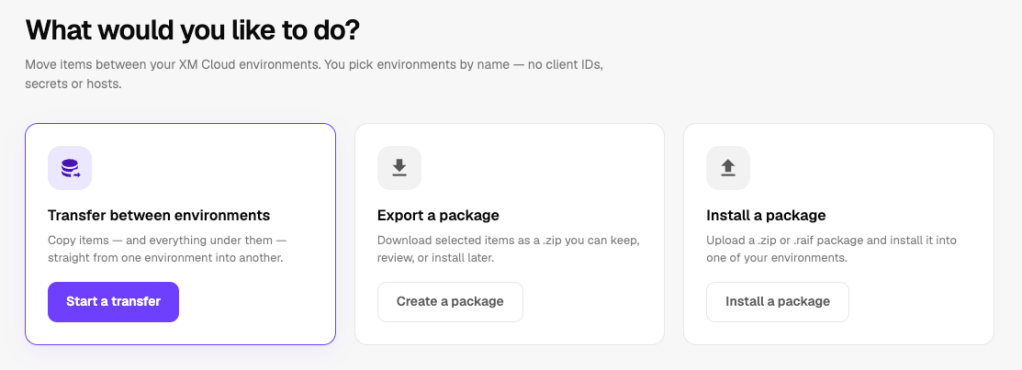
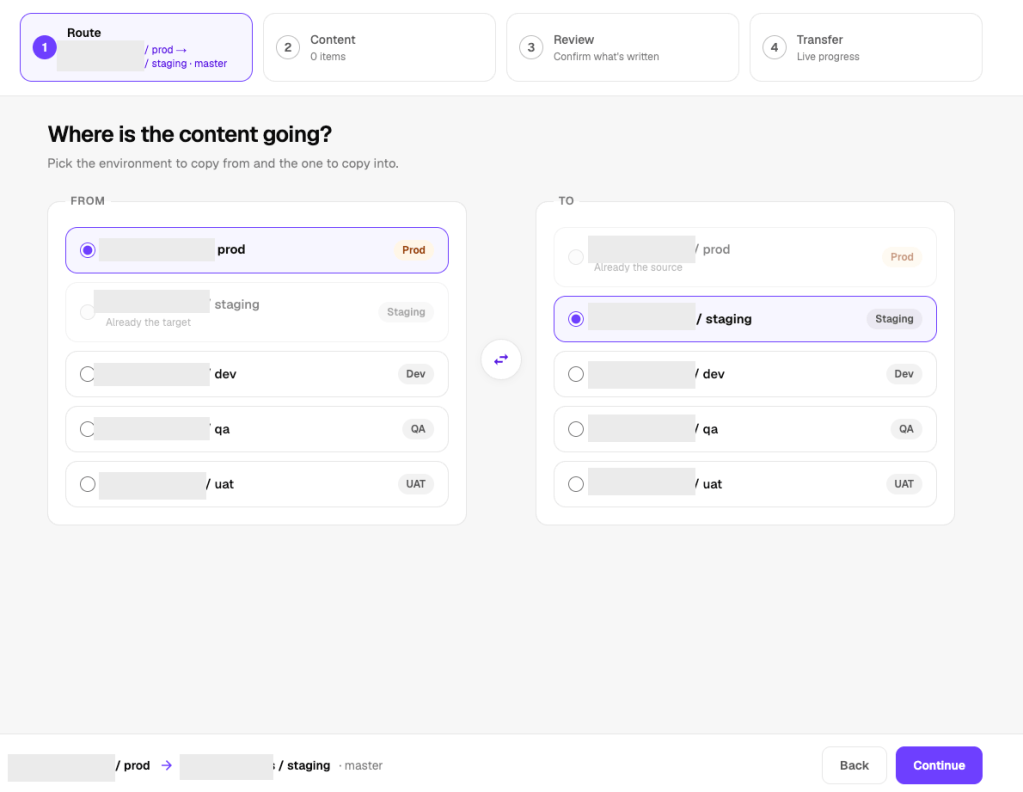
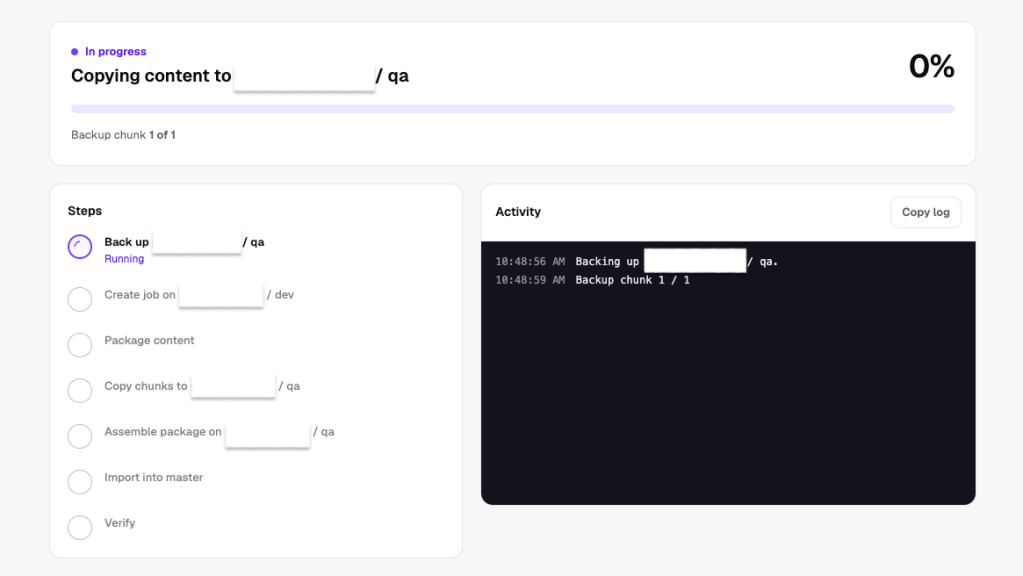
Four steps instead of one screen: Route, Content, Review and Run. Options are in plain language, and nothing is written until you press Start. Each item can include This item, + Children or + Everything below, and the overwrite options change to match.
Compare environments
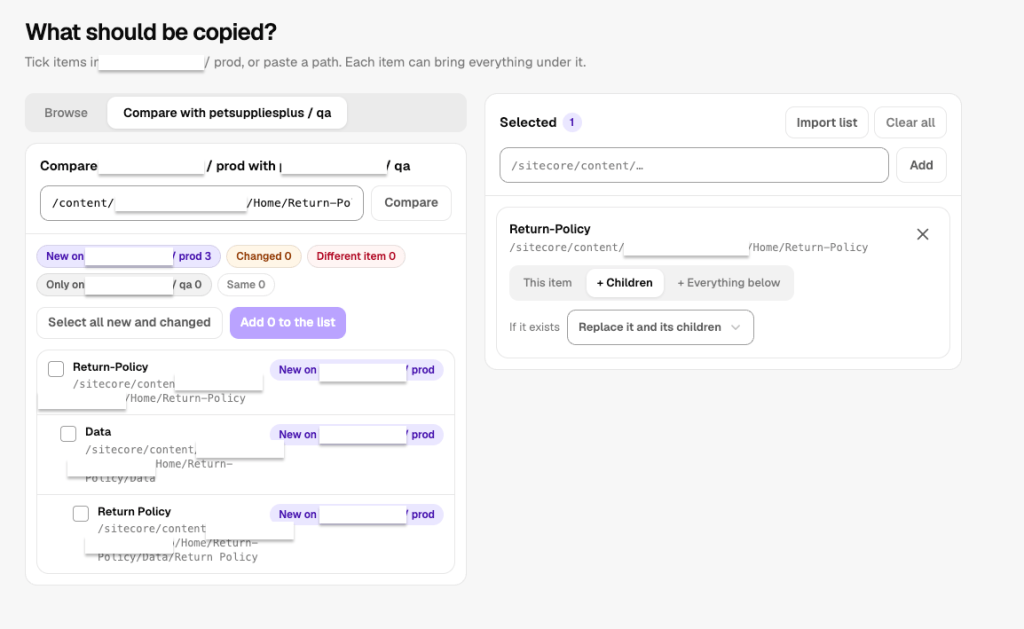
Not sure what changed? The Compare tab walks a section of both environments and marks each item New, Changed, Different item or Only on the target. Tick what you want and add it to the list.
[Improved] Choosing what to move
As in version 1, you can tick items in the source tree, paste a path, or import a JSON list. What’s new is how much clearer each item’s two choices are.
What it includes
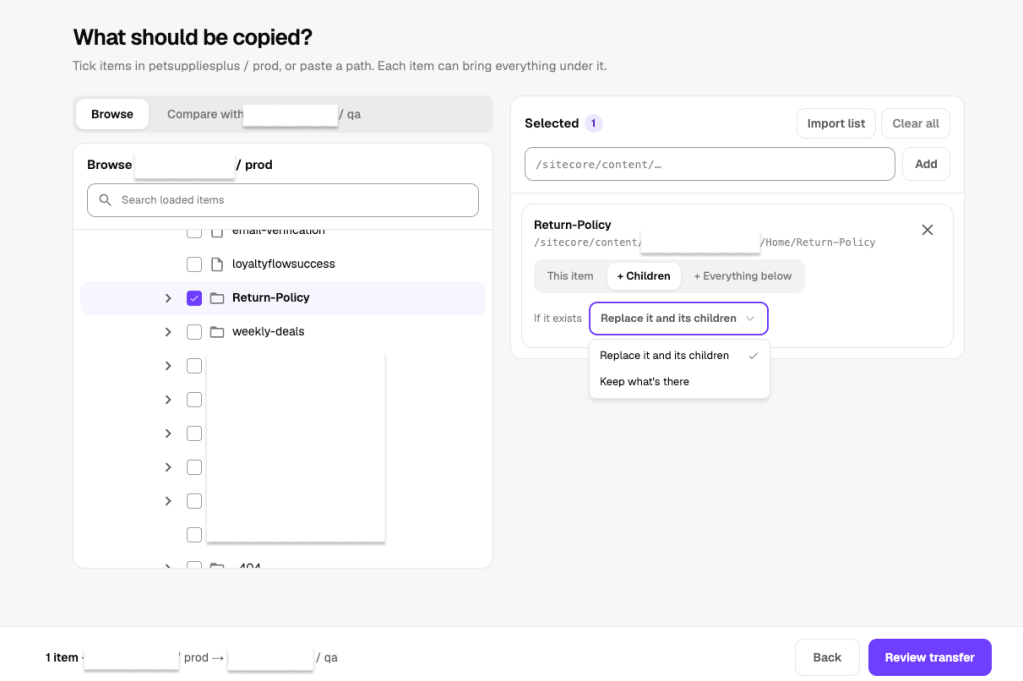
- This item: just the item.
- + Children (new): the item and its direct children, nothing deeper. Sitecore’s API only knows “this item” and “item and everything below”, so the app reads the children itself when the run starts and sends each one as a single item. Developers asked for this one; it’s handy when you want a folder and its pages without the whole tree under them.
- + Everything below: the item and its whole tree.
What happens if it already exists
The options now follow the scope, so you can’t pick one that makes no sense. Replace it and everything below only appears with + Everything below, because it deletes the target’s tree before writing. With + Children you get Replace it and its children, which overwrites the item and each child and leaves anything deeper alone.
Like the later builds of version 1, version 2 doesn’t offer “latest wins”: the SDK lists it, but Sitecore’s Content Transfer API spec doesn’t. New in version 2, a saved JSON list that still asks for it is read as Keep what’s there, the option that never overwrites anything.
Checks before anything is written
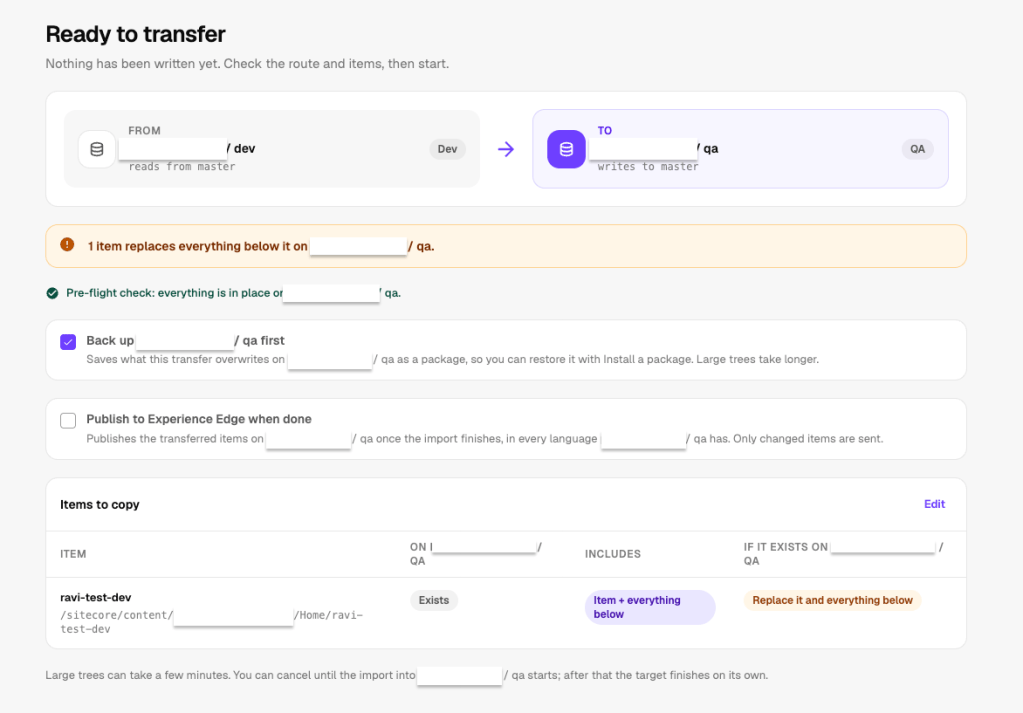
Review reads both environments first. It warns about parent items missing on the target, which would leave a transferred item invisible in the content tree, plus duplicate paths, paths that don’t exist, and what “Replace it and everything below” will delete. It also finds the datasources, images and linked items your pages use that the target doesn’t have yet, and adds them in one click.the app adds it as a single “+ Everything below” row instead of dozens of separate ones.
Backup and one-click restore
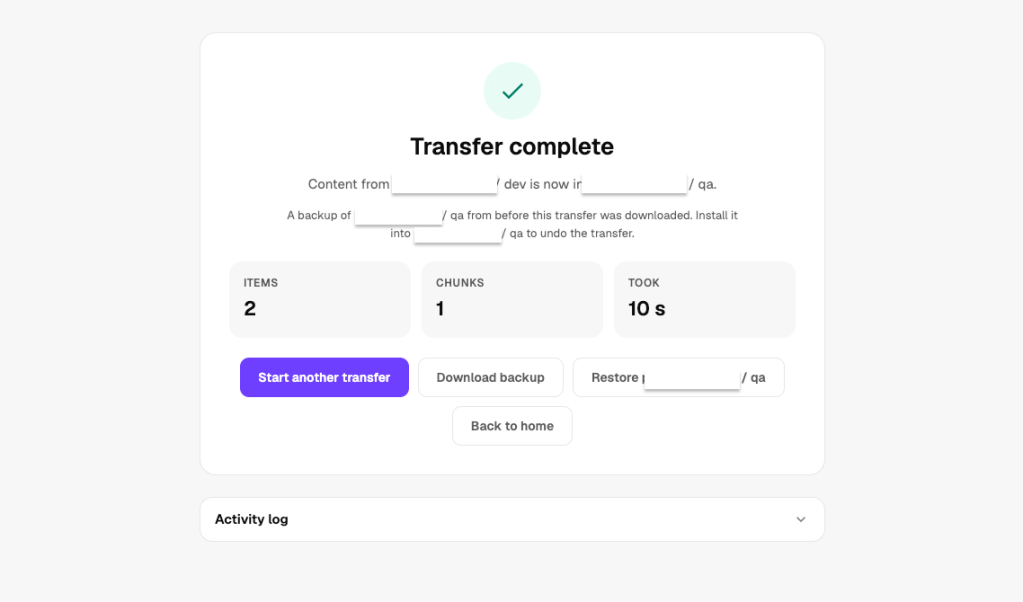
Before a transfer overwrites anything, the app backs up what’s about to change on the target. If something looks wrong afterwards, Restore puts the target back. It asks first, and production needs an extra confirmation.
Publish, and send from Pages
Tick Publish to Experience Edge when done to make transferred content live straight away. Content authors can also send the page they’re editing, with or without its child pages, from the Pages editor panel.
[New] Publishing to Experience Edge
Transferred content lands in the target’s master database. If you want it live straight away, tick Publish to Experience Edge when done. The last step then publishes what was transferred, in every language the target has, sending only items that changed. It doesn’t publish related items, so a page publish never quietly pushes out shared content you didn’t pick. It’s off by default, because going live should be a choice.
If publishing fails, the transfer still counts as done, since the content is safely on the target, and the result screen tells you to publish from Pages instead. Restoring a published transfer republishes what it puts back, so the live site goes back too.
Upgrading from version 1
Grant the app access to each environment in Cloud Portal. Version 1’s saved connection profiles aren’t used any more, so remove them and delete or rotate the automation clients you no longer need. Saved JSON lists still import.
Try it
Version 1 got us off Postman. Version 2 makes every transfer something you can check before it runs and undo after it runs. I’d love to hear what works and what you’d want next.
GitHub Repository: sitecore-content-transfer


Leave a Reply