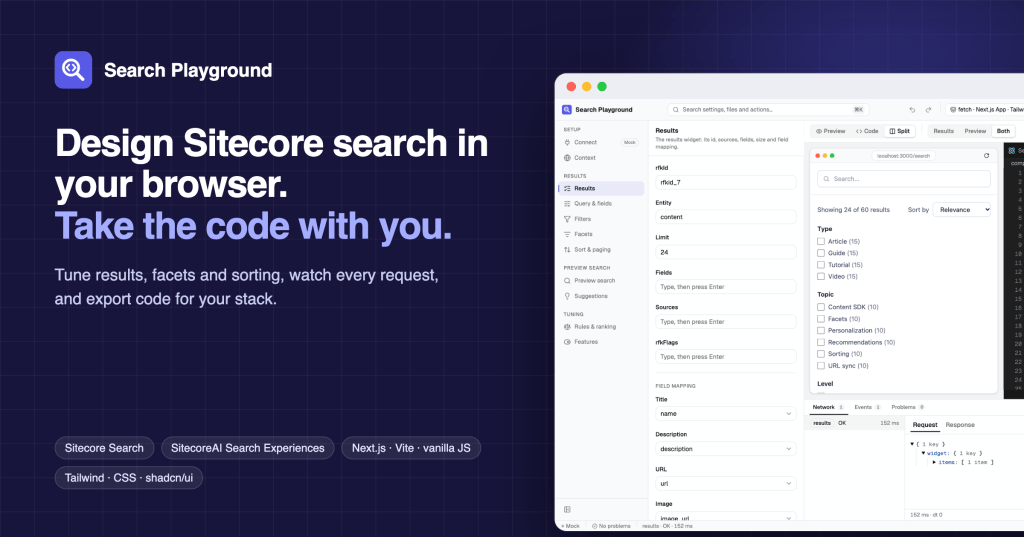
Every Sitecore search project I’ve worked on has started the same way. Before there’s any UI, I spend a day in the API reference: building requests in Postman, working out which widget ID goes where, and deciding which of the SDKs fits the project. Then I build the same search page I built last time: a search box, results, facets, sorting and paging.
So I built the tool I wanted on those first days. Search Playground lets you set up a search page, watch it work, see every request it sends, and download the code for your stack.
Start with sample data, switch to yours when you’re ready
The playground opens with sample data, so there’s nothing to set up before you can try things. When you’re ready, connect your own Sitecore Search domain (a customer key and an API key with the discover scope) or a SitecoreAI Search Experiences index (an Edge context ID and a search index ID). Requests go straight from your browser to Sitecore, and your key stays in your browser tab.
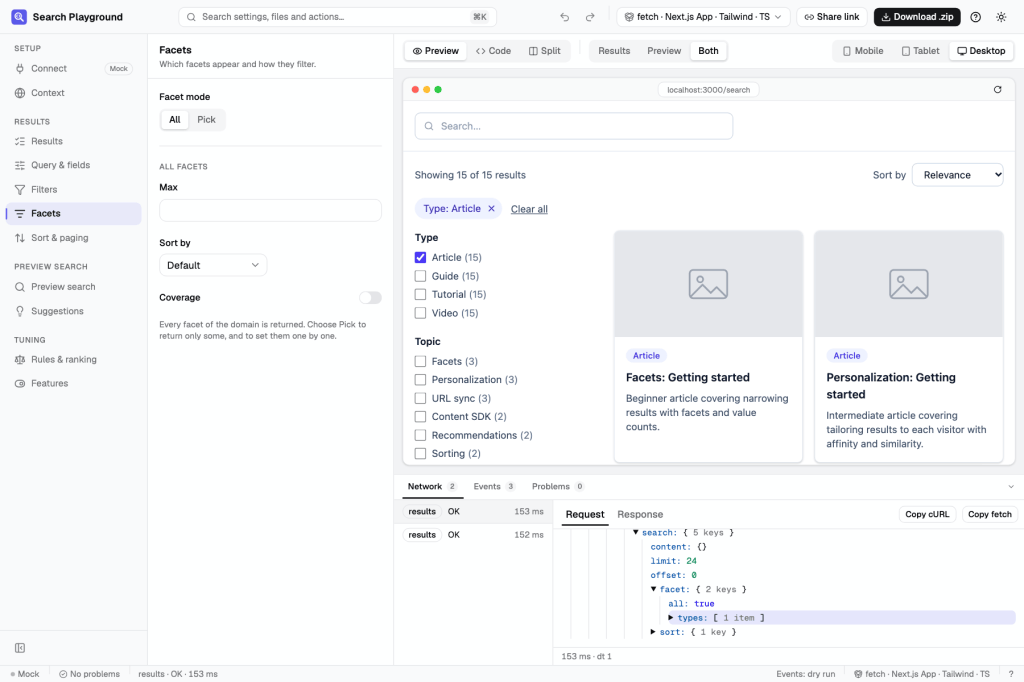
Tick a facet: the filter chip appears, and the Network panel shows the filter in the request.
Change a setting, and three things change with it
This is the part I like most. Change the page size, add a facet or switch the sort order, and the results update, the request updates, and so does the generated code. In Split view you can watch all three at once, and the line of code your change touched is highlighted.
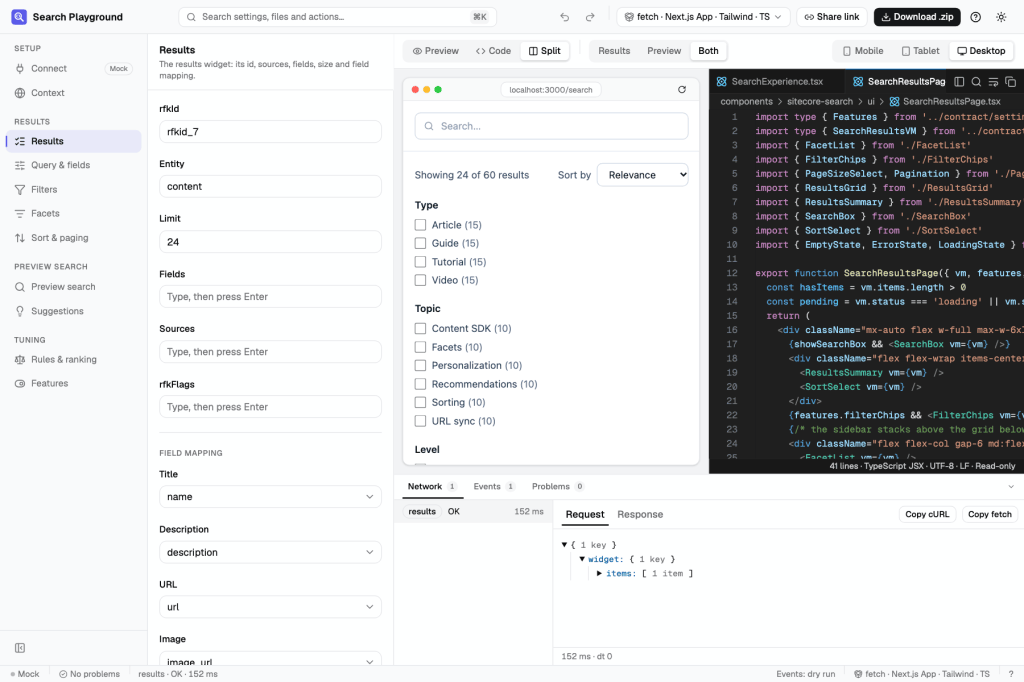
The preview and the code, side by side.
The panel at the bottom shows what’s going on under the hood:
- Network: every request and response. You can copy any call as cURL, as fetch, or as Content SDK code.
- Events: the tracking events the page fires. They’re a dry run unless you choose to send them.
- Problems: checks your settings as you type.
Both of Sitecore’s search products
Search Experiences, the search built into SitecoreAI, gets the same workflow: index, sorting, facets, More Like This and locale, with the same preview and the same Network panel.
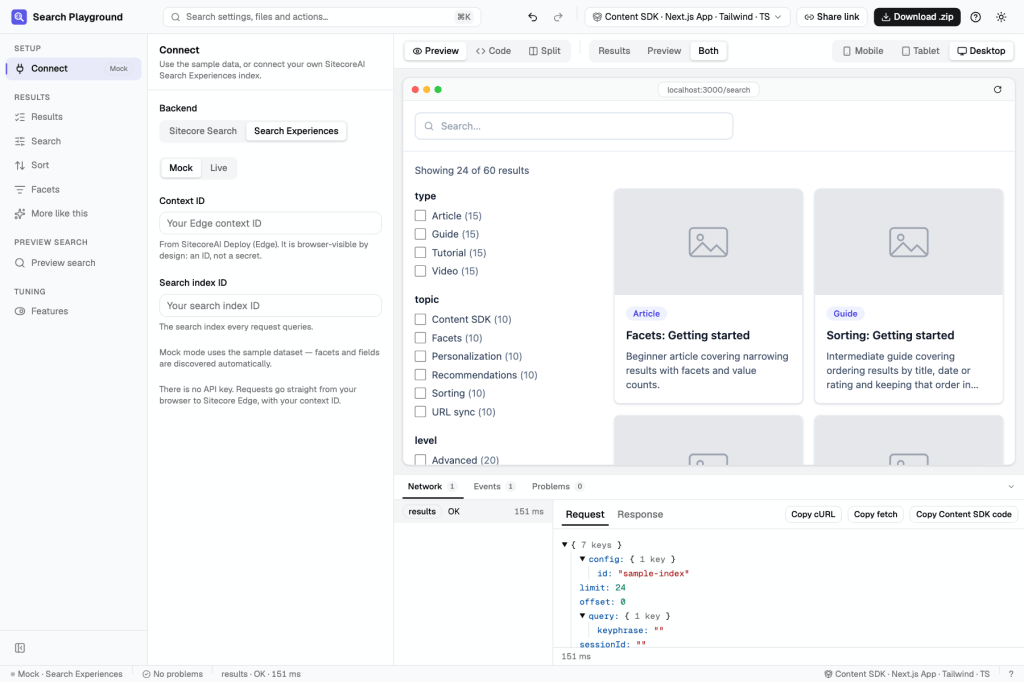
One switch at the top of Connect moves between Sitecore Search and Search Experiences.
Code you’d actually commit
When the page looks right, pick your stack:
- SDK:
@sitecore-search/react, Cloud SDK, plainfetch, or the Content SDK. - Framework: Next.js App Router, Next.js Pages Router, Vite or vanilla JS.
- UI: headless, plain CSS, Tailwind or shadcn/ui.
- Language: TypeScript or JavaScript.
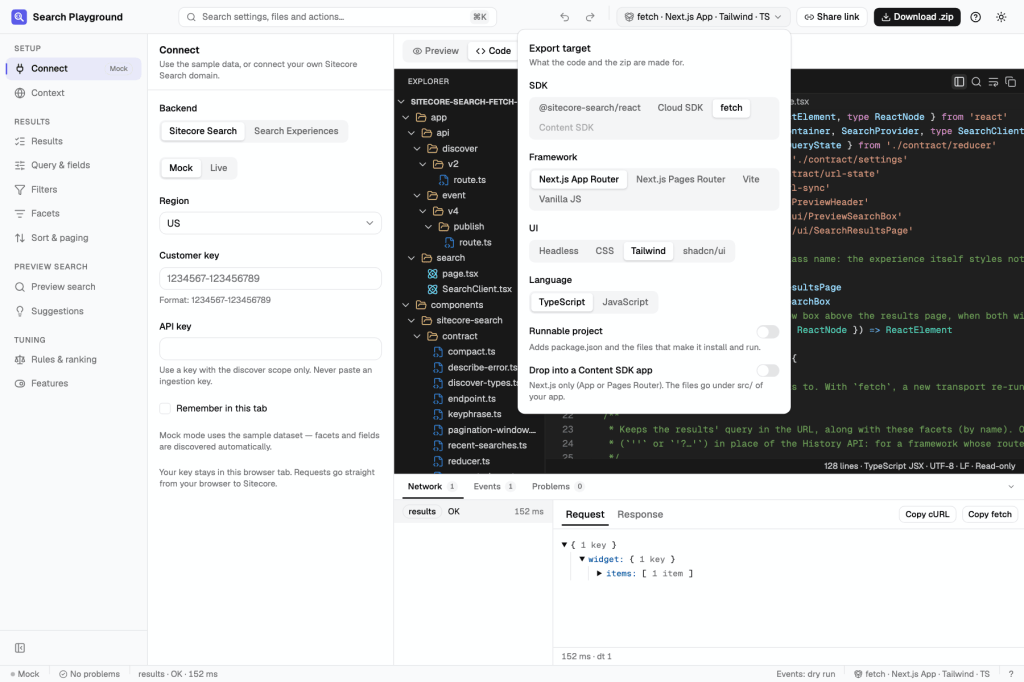
The same search page, exported for whichever stack you’re on.
You can download a project that runs, or just the files to drop into an existing Content SDK app. Only the features you turned on make it into the code: turn off did-you-mean and there’s no DidYouMean.tsx to delete later. Your API key is never written into the export, and a Next.js project keeps it on the server.
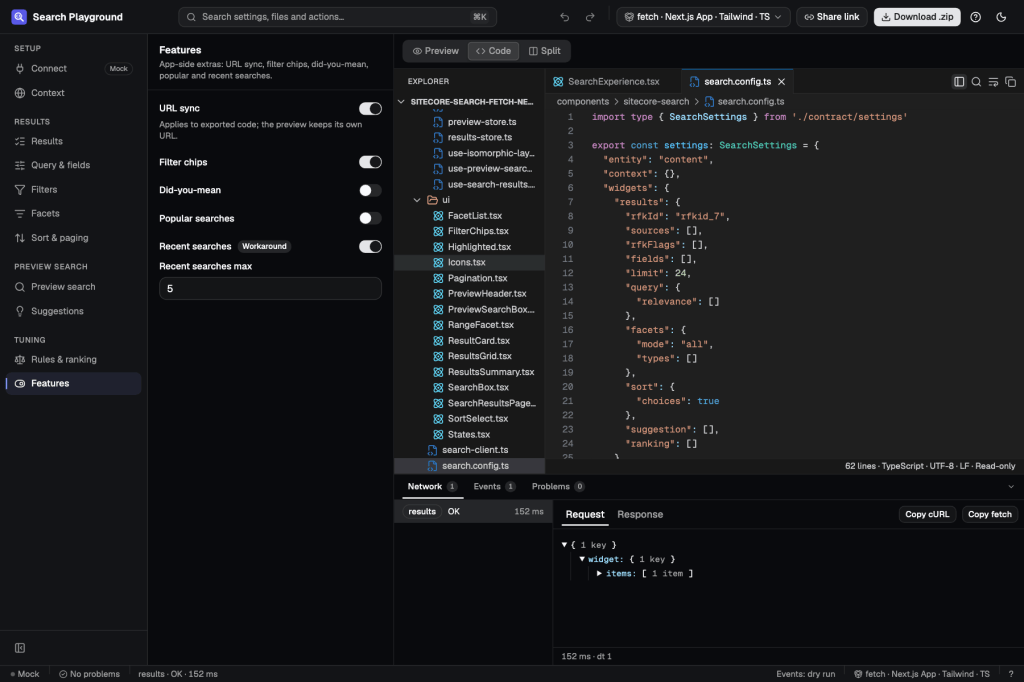
The code reads like code a person wrote, because it’s code you’ll have to look after.
Small things that make it feel like a dev tool
- ⌘K finds any setting, file or action, and ⌘P jumps to a file.
- Undo and redo work across all your settings.
- A share link puts your setup in a URL, never your key, so a teammate can open exactly what you’re looking at.
- There’s a dark theme, of course.
Try it
I built Search Playground to skip the slow first day of every search project, and I’m publishing it on the Sitecore Marketplace so other teams can skip it too. I’d love to hear what you build with it, and what you’d want next.


Leave a Reply