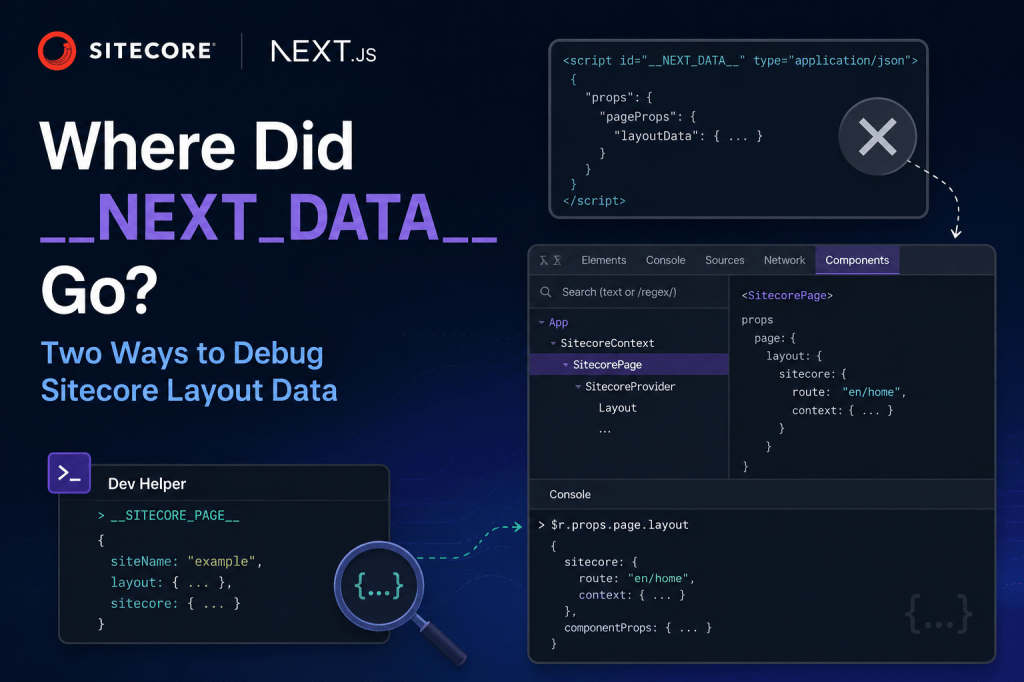
If you’ve worked with Sitecore JSS on Next.js, you probably had a daily habit: open DevTools, type __NEXT_DATA__, and dig into layoutData. Route, placeholders, context — all in one place.
After upgrading to the Sitecore Content SDK and Next.js App Router, that trick stops working. You’re not doing anything wrong. The data didn’t disappear — it just moved.
What changed?
On the old Pages Router + JSS setup, Next.js dumped everything from getStaticProps / getServerSideProps into a global script tag called __NEXT_DATA__. Your Sitecore layout lived right there on window.
The App Router works differently. Pages are Server Components. Data gets fetched on the server and passed down through React props and context — not serialized into a global you can type in the console.
The Content SDK also renamed a few things:
| Old (JSS) | New (Content SDK) |
|---|---|
layoutData | page.layout |
props.layoutData.sitecore.route | page.layout.sitecore.route |
__NEXT_DATA__ in the console | React DevTools or __SITECORE_PAGE__ |
The rough flow in a Content SDK app looks like this:
page.tsx → SitecorePage → SitecoreProvider → Layout
So the layout is still there — you just need to know where to look. Here are two ways to get at it.
Method 1: React DevTools (no code changes)
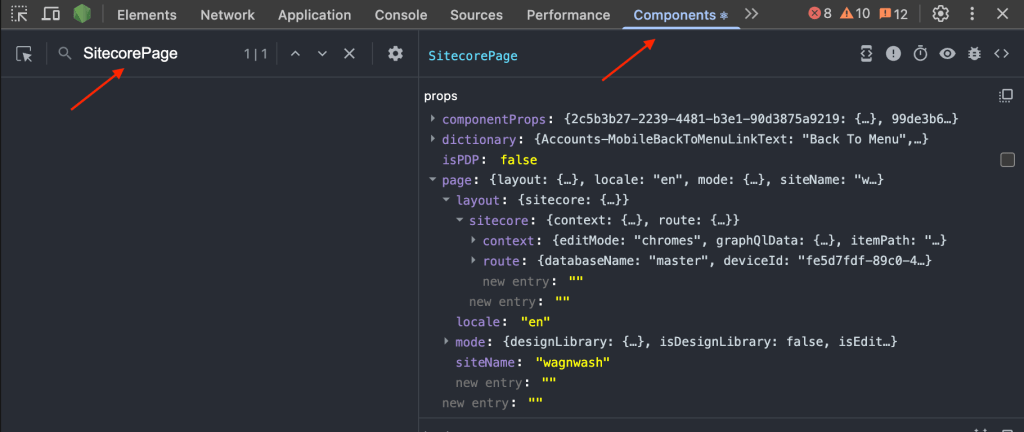
This is the best option if you don’t want to touch the codebase. You find the right component using search, then read its props from the console.
Step-by-step
- Install the React Developer Tools extension for Chrome or Edge.
- Restart your browser completely.
- Run your app locally (
npm run dev) and open the site. - Open DevTools and click the Components tab.
- Don’t see it? Check under the
>>menu next to your other tabs — it shows up there on some setups.
- Don’t see it? Check under the
- Use the search box at the top of the Components panel. Type
SitecorePageorLayout. - Click the matching result in the tree so it’s selected.
- Switch to the Console tab and run:
$r.props.page.layout
From there you can drill into whatever you need:
$r.props.page.layout.sitecore.route$r.props.page.layout.sitecore.context$r.props.componentProps
$r refers to whichever component you currently have selected in the Components panel. If you get undefined, go back to Components, search for SitecorePage or Layout again, click it, and retry.
No Components tab at all? The React DevTools extension isn’t installed or isn’t detecting the page. Install it, restart the browser, and make sure you’re on a running localhost page — not a static file.
Method 2: __SITECORE_PAGE__ in the console (dev helper)
If you miss the old one-liner console workflow, you can add a small dev-only hook in Bootstrap.tsx. This is what we did on our PSP project — it exposes the full page model on window during local development.
Add this inside your existing Bootstrap component:
useEffect(() => { if (process.env.NODE_ENV !== 'development' || !page) { return undefined; } window.__SITECORE_PAGE__ = page; return () => { delete window.__SITECORE_PAGE__; };}, [page]);
You’ll also want the TypeScript declaration at the top of the file:
declare global { interface Window { __SITECORE_PAGE__?: Page; }}
Step-by-step
- Run
npm run dev. - Open the site and wait for the page to finish loading.
- Open DevTools → Console.
- Type:
__SITECORE_PAGE__

That gives you the full Sitecore page object. The layout — the old layoutData equivalent — is one level down:
__SITECORE_PAGE__.layout__SITECORE_PAGE__.layout.sitecore.route__SITECORE_PAGE__.layout.sitecore.context__SITECORE_PAGE__.siteName
This only works in development. It won’t exist in production builds, and that’s intentional — you don’t want layout data sitting on window in a live environment. if you want this in production you just need to remove the condition.
Which one should you use?
Use React DevTools if you want zero code changes — search for SitecorePage or Layout, then hit $r.props.page.layout in the console.
Use __SITECORE_PAGE__ if you want the old __NEXT_DATA__ habit back during local dev. One line in the console, full layout in front of you.
Either way, the data is still there. It just lives inside React now instead of on window by default.


Leave a comment